Migrate to a Fixed Rate
Tenor lets you migrate a variable-rate borrow position on Morpho to a fixed rate in a single transaction. Your collateral and debt move into a fixed-rate market, and your rate is locked for the term you choose.
You can migrate from the Portfolio page or from the position's detail page.
- Portfolio page
- Position page
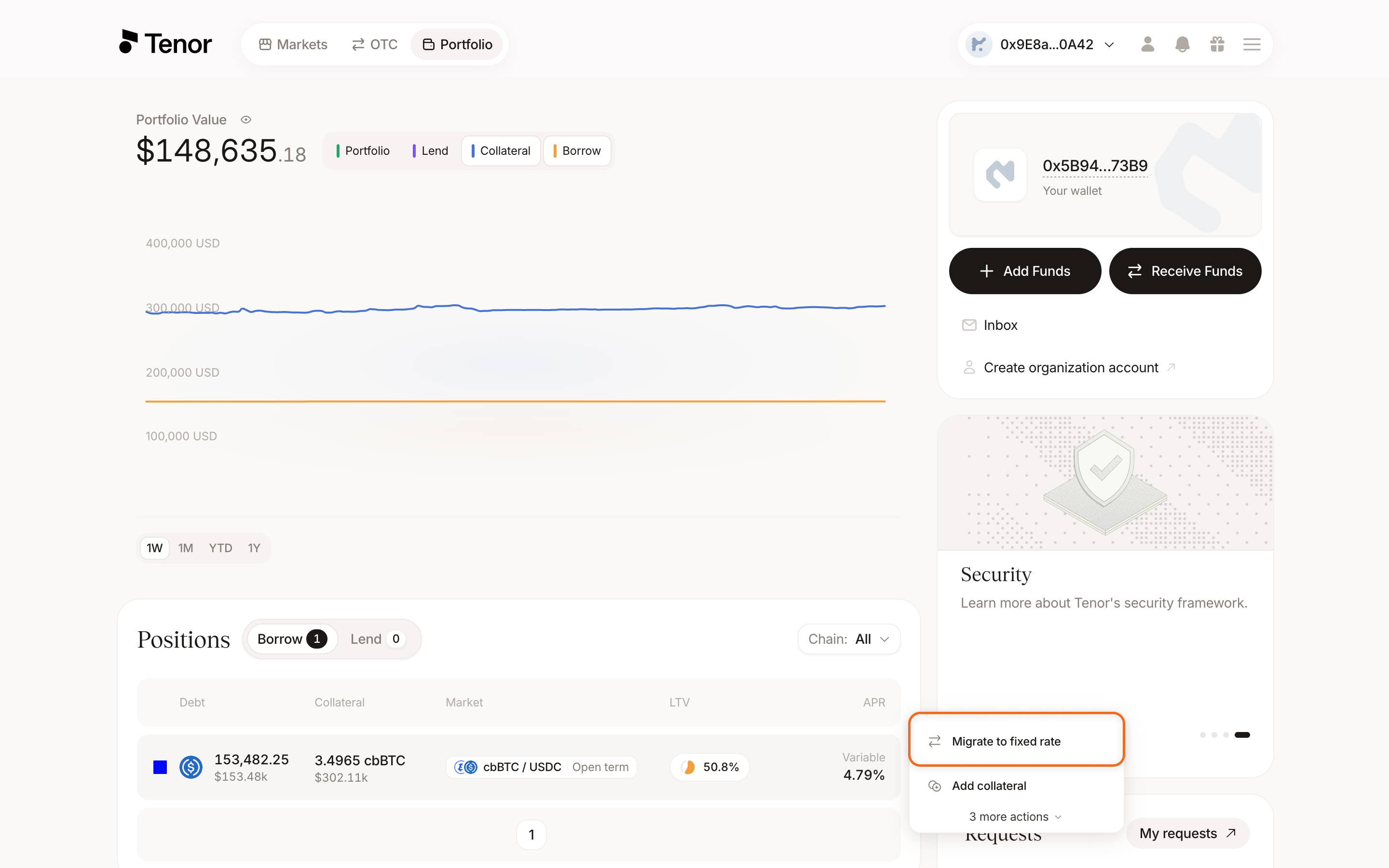
Go to the Portfolio page and select the Borrow tab, where your borrow positions are listed.
In the positions table, hover over the variable-rate position's row, then click Migrate to fixed rate.
The Migrate to fixed rate window shows your current variable-rate position alongside the fixed-rate term you are migrating into.
The term with the nearest maturity is selected by default. Select a different term if you want a longer duration.
Choose how to set your rate:
- Market: migrate at the current market rate.
- Limit: enter the rate at which you want to post the migration offer.
If there is not enough liquidity to migrate at the market rate, post a limit offer instead.
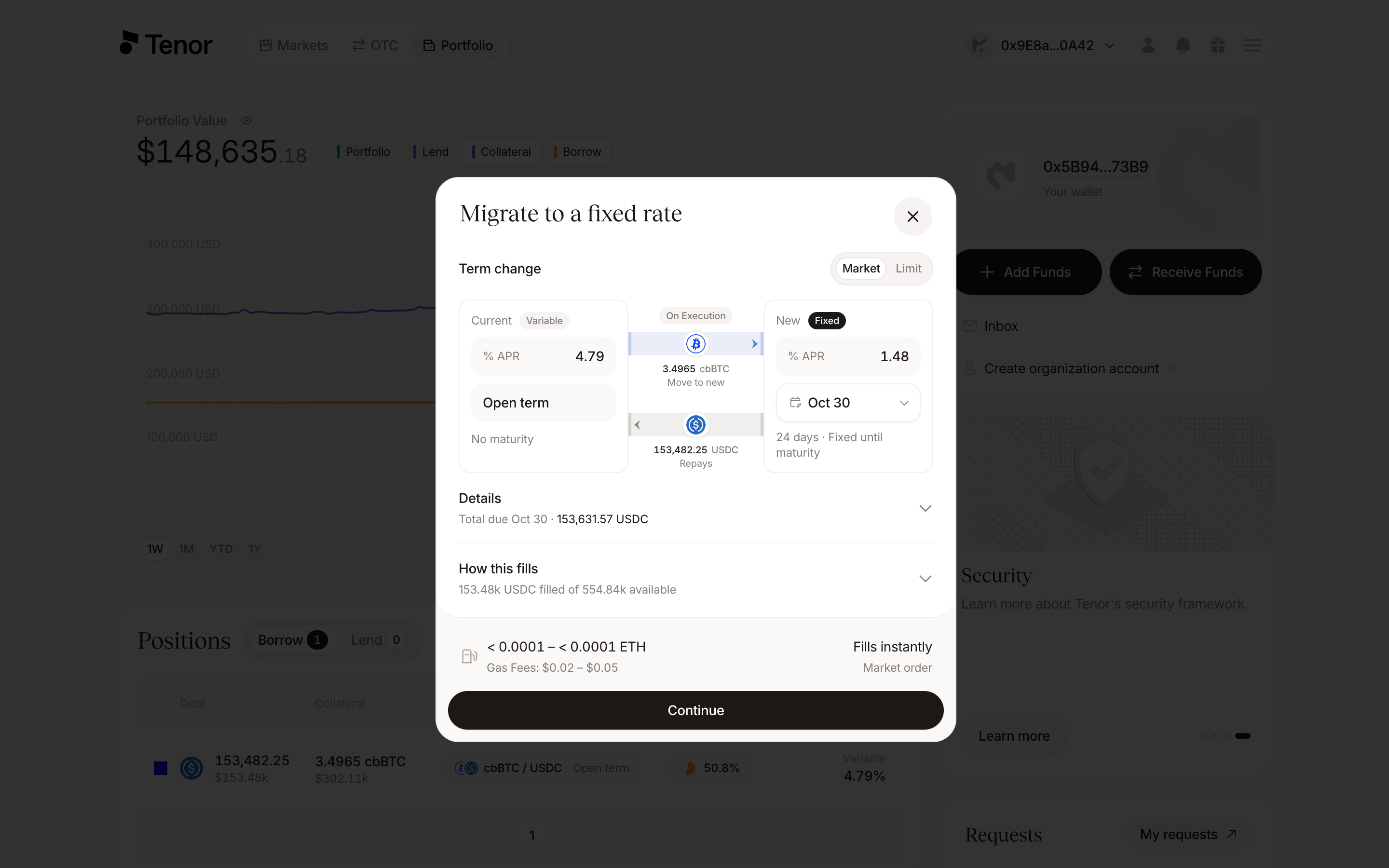
Click Continue, then confirm and sign the transaction in your wallet.
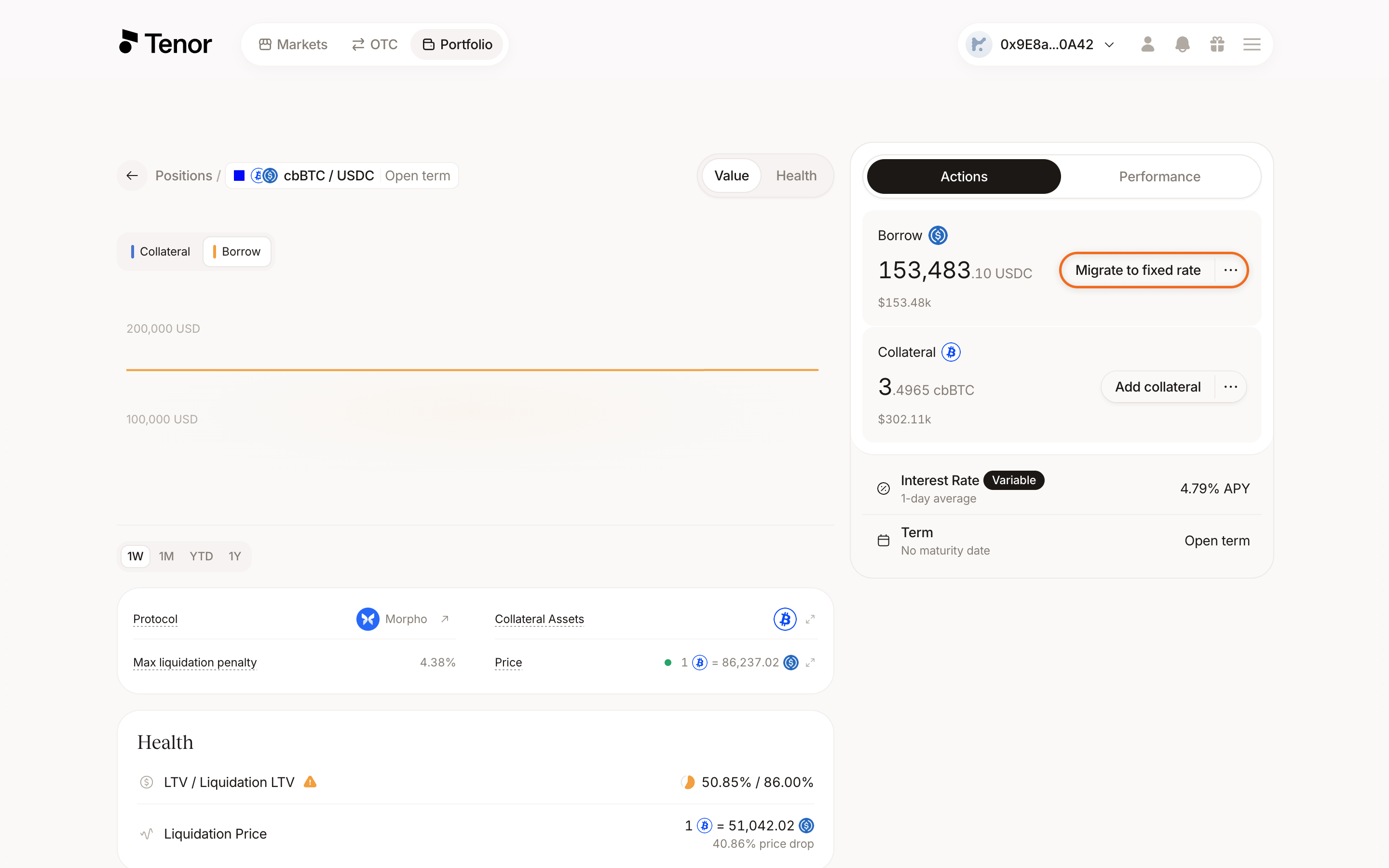
On the Portfolio page, select the Borrow tab and click the variable-rate position to open its Position page.
Click Migrate to fixed rate.
The Migrate to fixed rate window shows your current variable-rate position alongside the fixed-rate term you are migrating into.
The term with the nearest maturity is selected by default. Select a different term if you want a longer duration.
Choose how to set your rate:
- Market: migrate at the current market rate.
- Limit: enter the rate at which you want to post the migration offer.
If there is not enough liquidity to migrate at the market rate, post a limit offer instead.
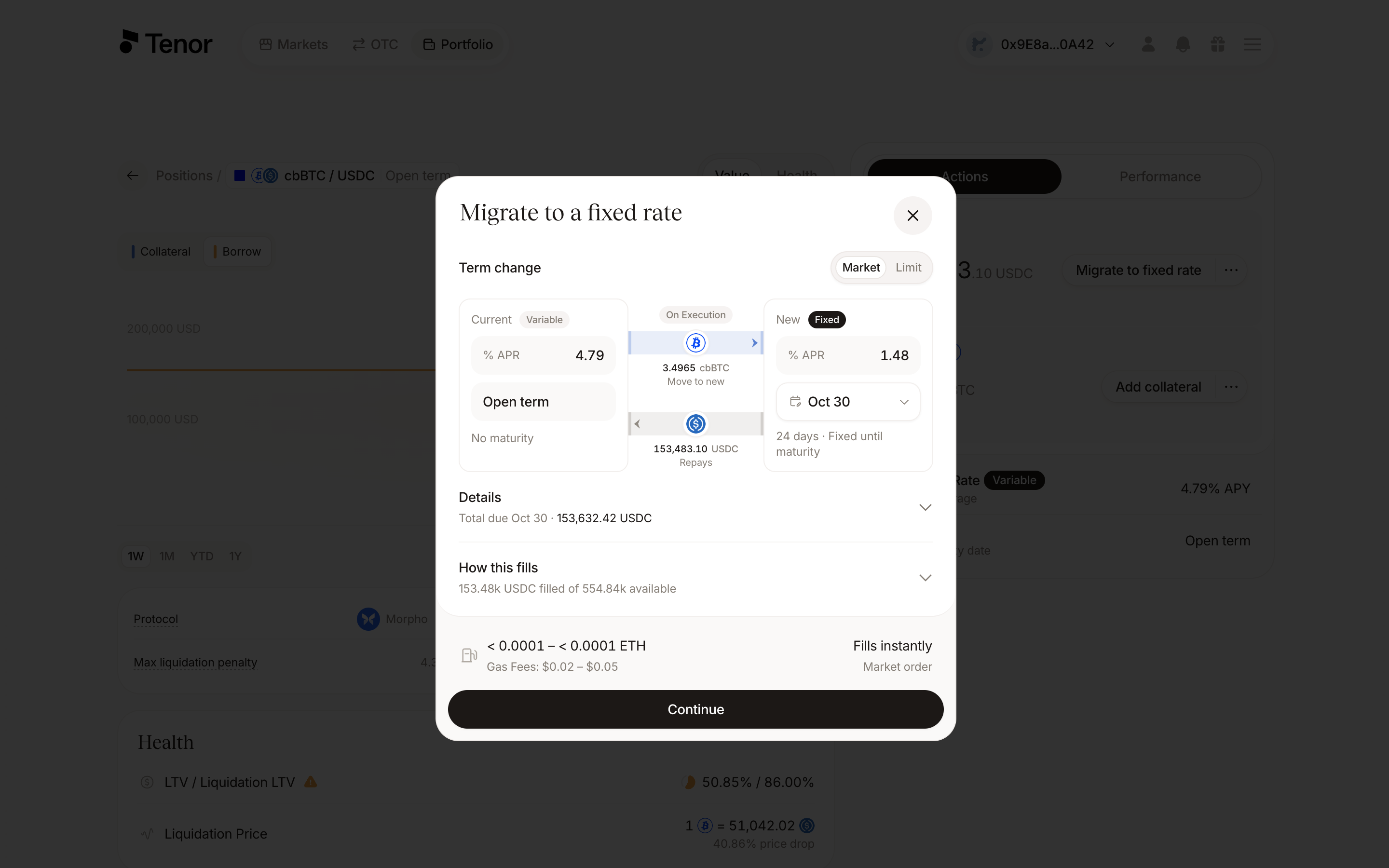
Click Continue, then confirm and sign the transaction in your wallet.