Manage Lend Position
Manage your active lend positions from three places:
- Portfolio page: Each position is listed in the positions table. Hover the row for its available actions.
- Position page: Click a position to open its Position page, where the Actions tab groups every action for that position.
- Trading component: On the Markets page, select the market and term to act on a position you hold there.
Lend More
You can add more funds to an existing lend position.
- Portfolio page
- Position page
- Trading component
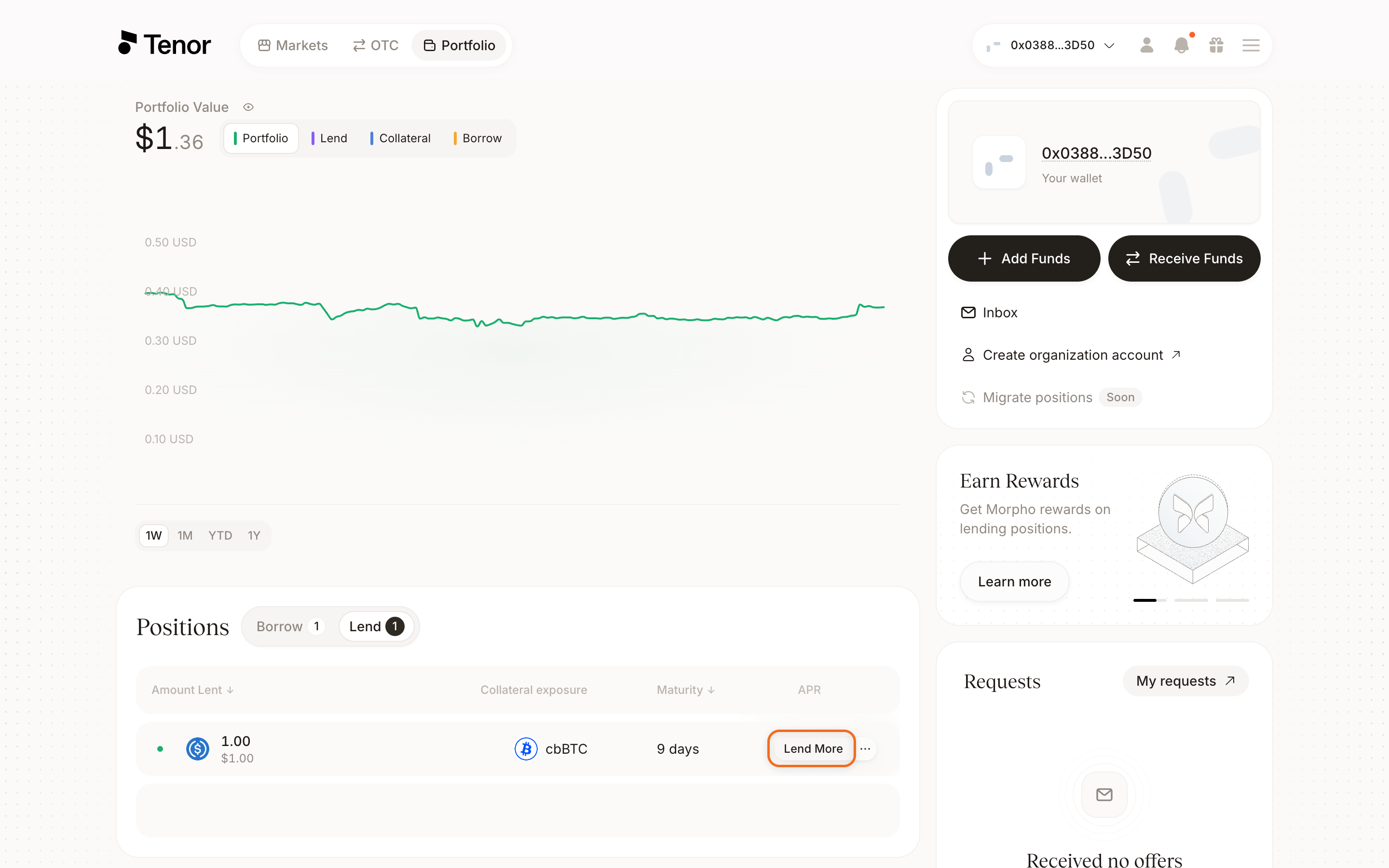
Go to the Portfolio page, where your positions are listed.
In the positions table, hover over the position's row, then click Lend more. The Lend more window opens.
Enter the additional amount you want to lend.
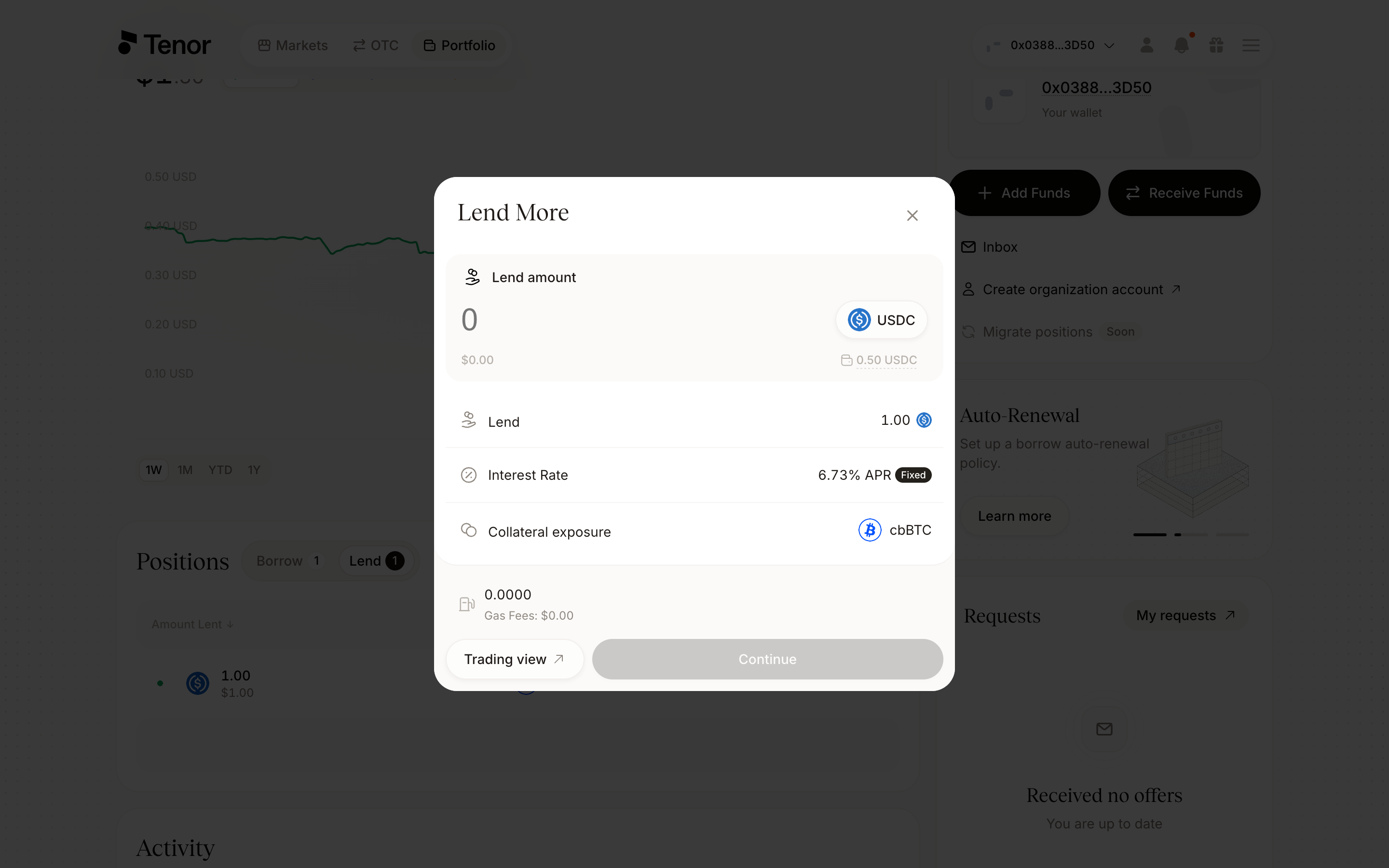
Click Continue, then confirm and sign the transaction in your wallet.
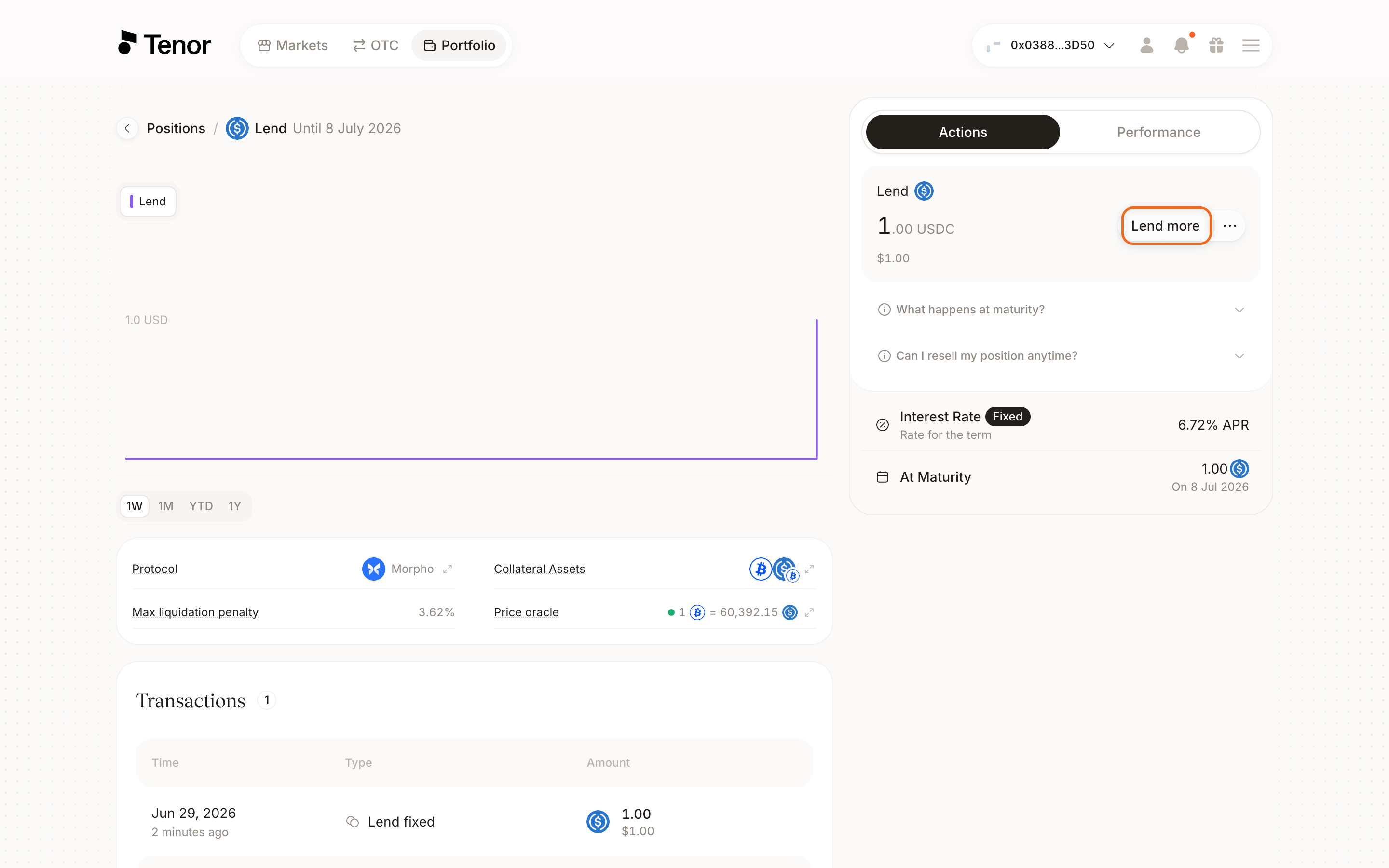
On the Portfolio page, click the position to open its Position page.
In the Lend section of the Actions tab, click Lend more. The Lend more window opens.
Enter the additional amount you want to lend.
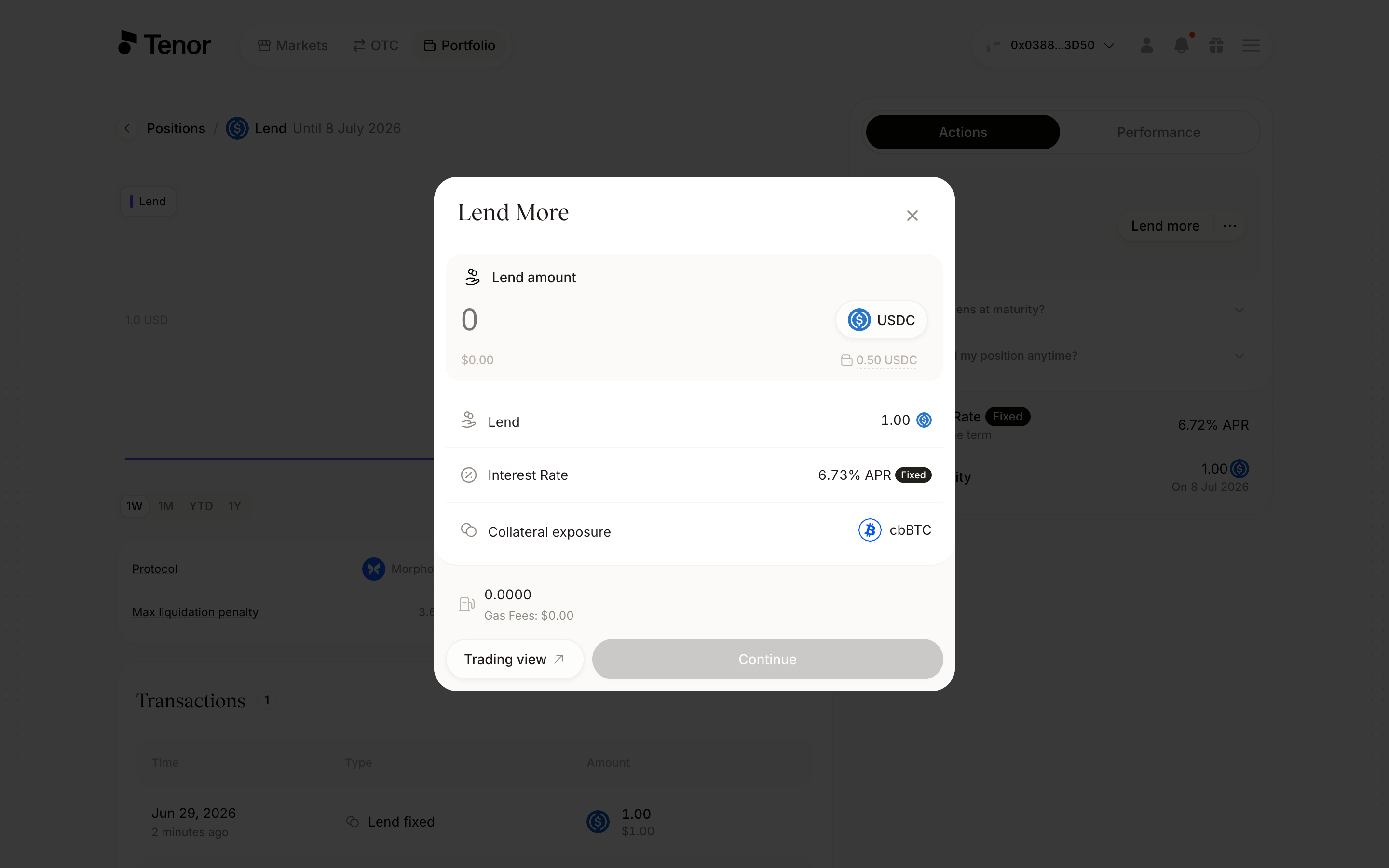
Click Continue, then confirm and sign the transaction in your wallet.
The trading component handles the whole flow in a single panel. The highlighted controls are the Lend tab, the amount in the Lend more section, and the term selector.
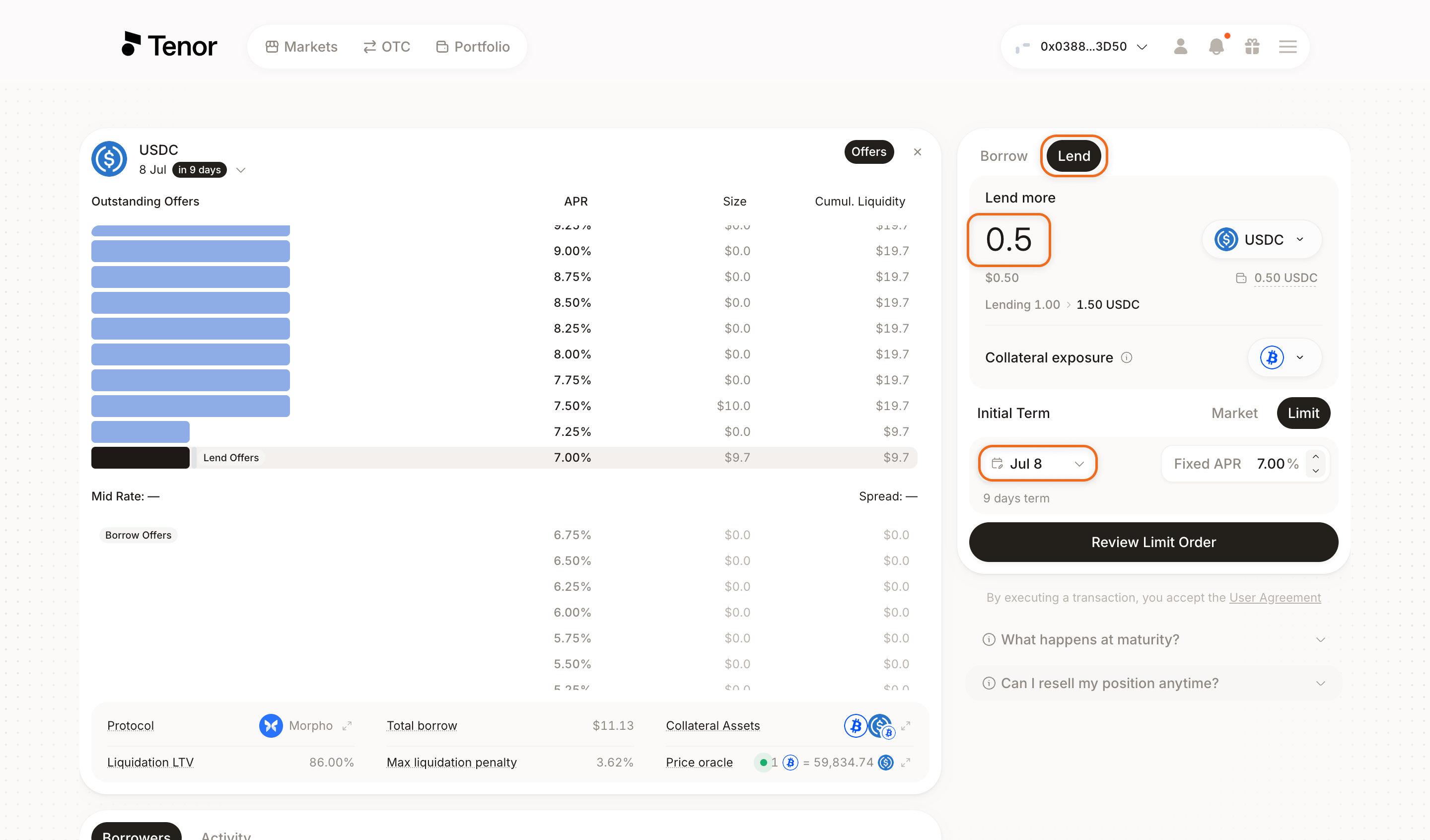
Go to the Markets page and select the market where you hold the position.
Select the term your position is in so it displays in the component.
Select the Lend tab.
In the Lend more section, enter the additional amount you want to lend.
Click Review Order, review the details, then confirm and sign the transaction in your wallet.
Withdraw
After the position reaches maturity, you can withdraw it.
- Portfolio page
- Position page
Go to the Portfolio page, where your positions are listed.
Once the position has reached maturity, hover over its row in the positions table, then click Withdraw. The Withdraw window opens.
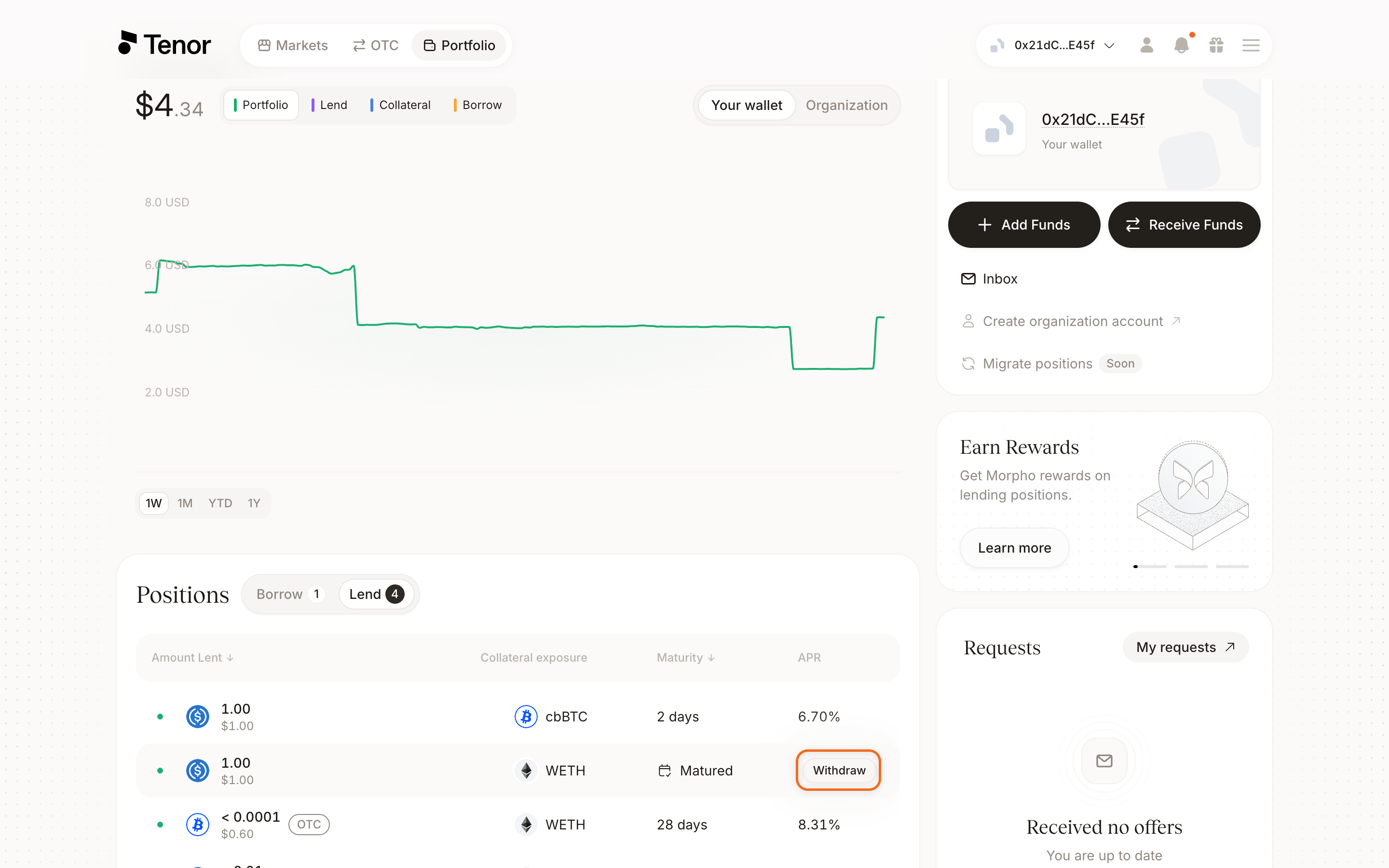
Click Continue, then confirm and sign the transaction in your wallet.
On the Portfolio page, click the position to open its Position page.
Once the position has reached maturity, in the Actions tab click Withdraw. The Withdraw window opens.
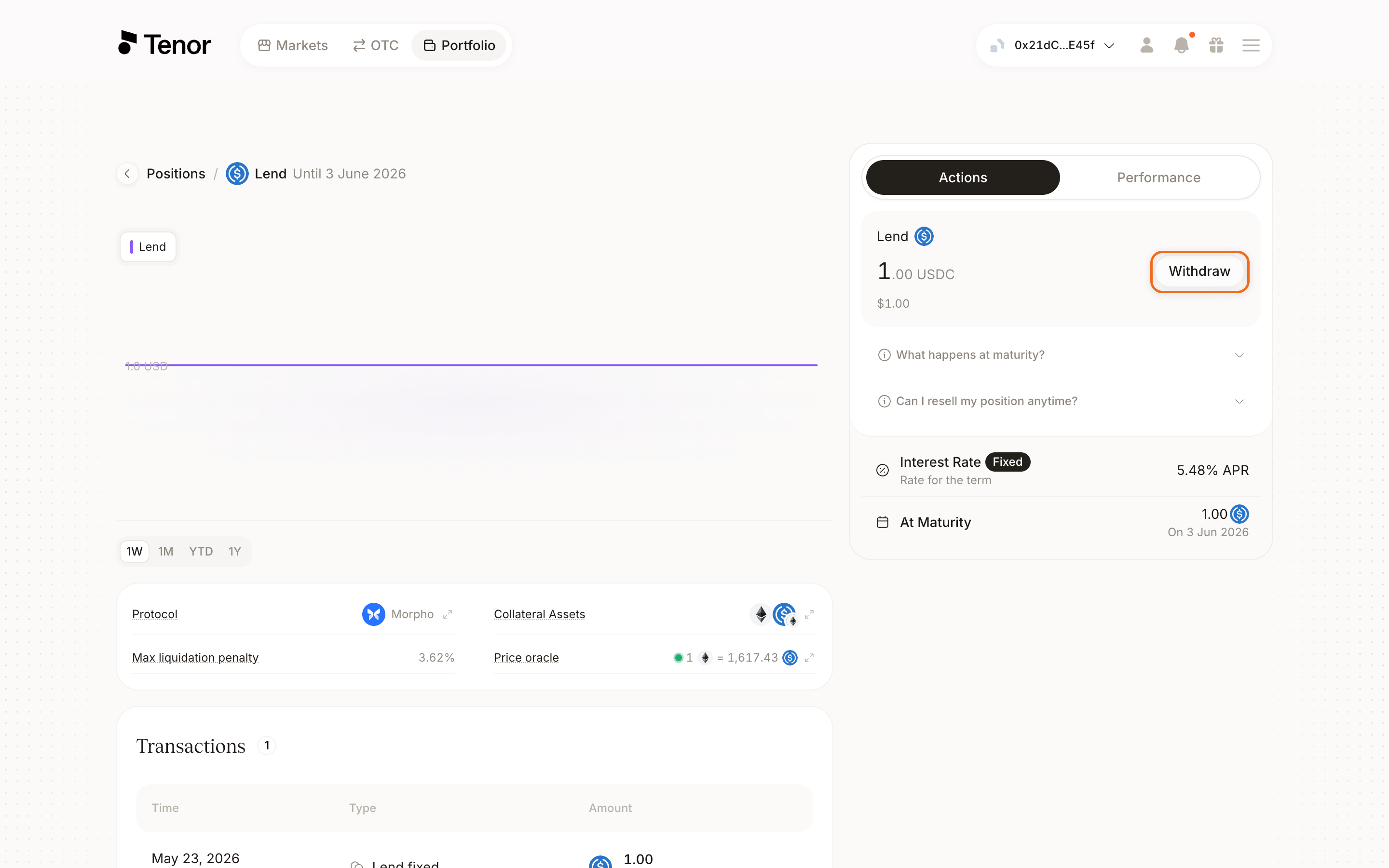
Click Continue, then confirm and sign the transaction in your wallet.