Borrow
Borrowing on Tenor locks in a fixed rate for a set term. You can hold the position to maturity or exit early. There are three ways to borrow: at the market rate, with a limit offer, or through an OTC offer.
Borrow at Market Rate
Borrowing at the market rate fills immediately at the best available rate.
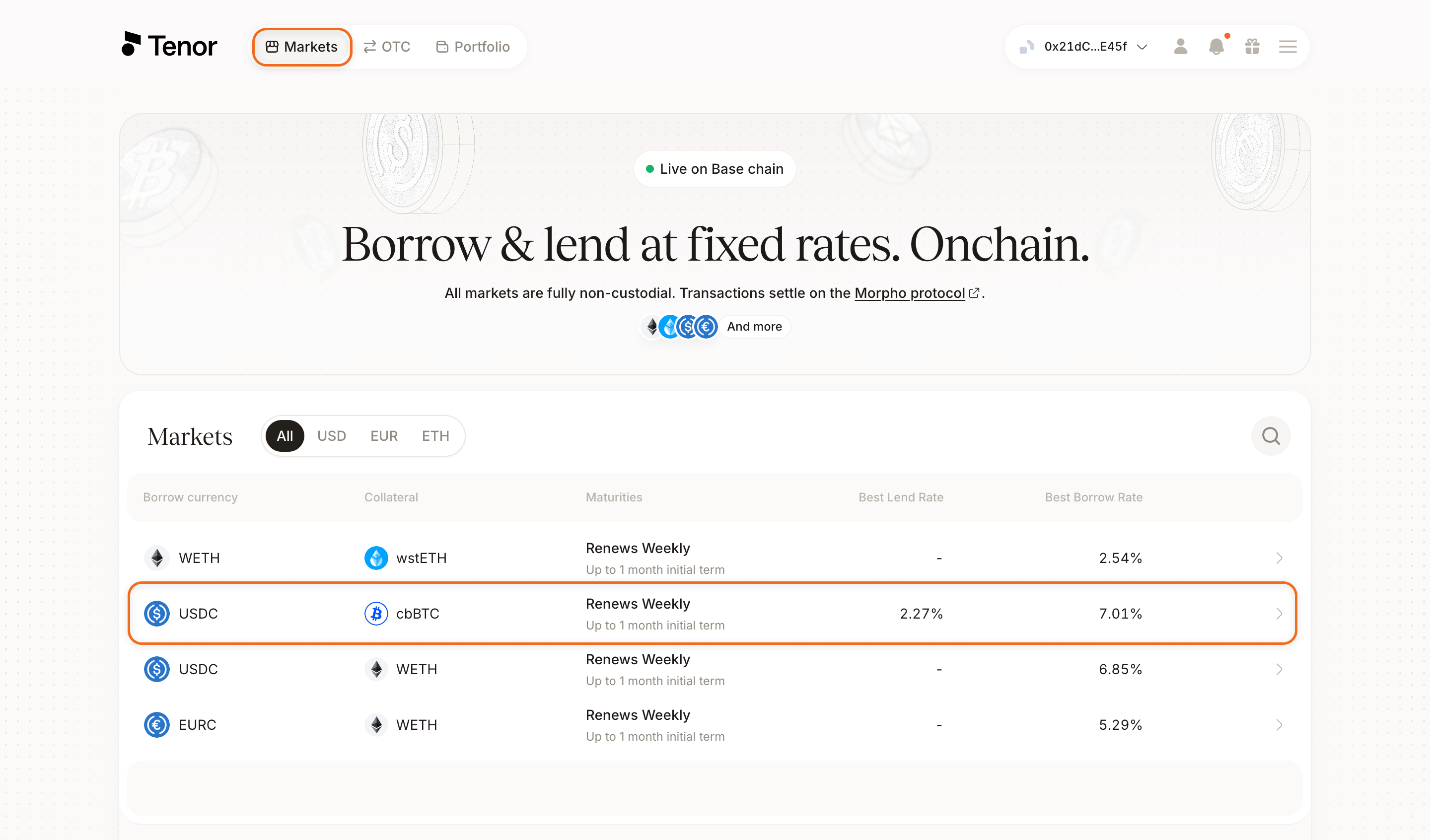
Go to the Markets page and select the market you want to borrow in.
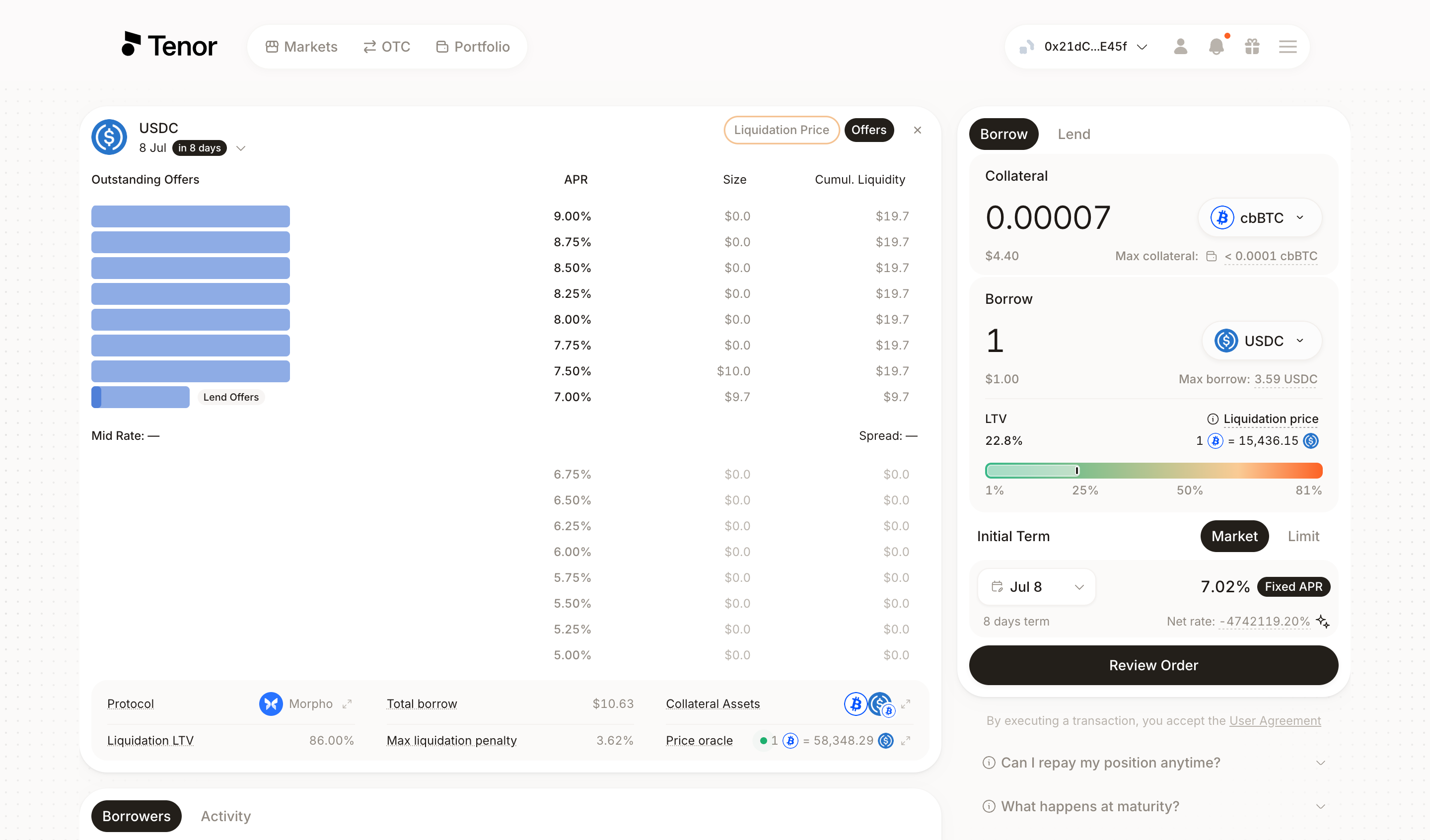
Make sure the Borrow tab is selected at the top left. Enter the amount of collateral you want to deposit, or the amount you want to borrow. Set your LTV with the slider or the liquidation price chart, select an initial term, then make sure the Market tab is selected.
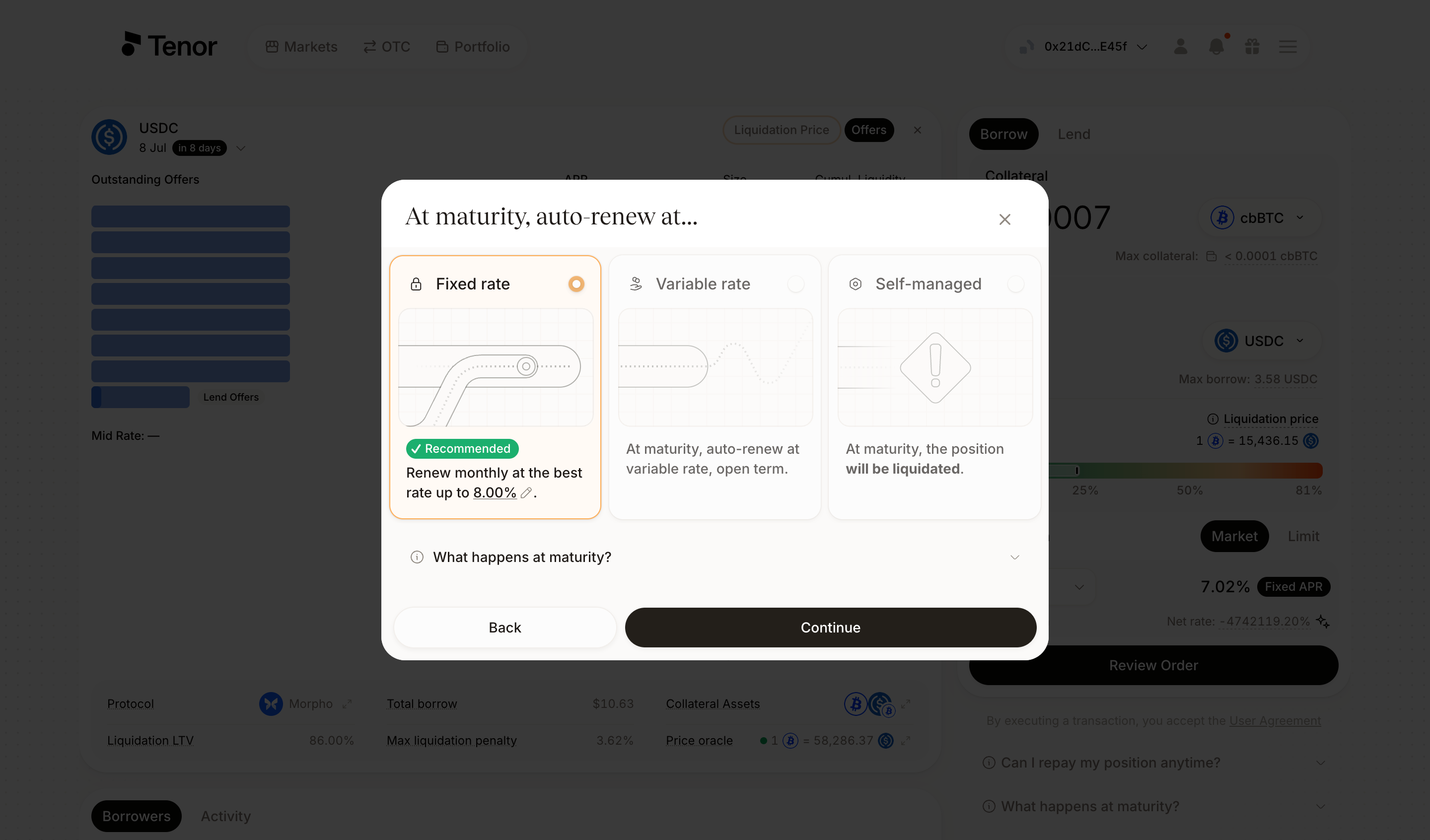
Click Review Order, then select your renewal policy. If you choose fixed-rate auto-renewal, you can set a maximum renewal rate for the fixed-rate renewal. Click Continue to review your order.
Review your order details, then confirm and sign the transaction in your wallet.
Once your position is initiated, you can monitor and manage it on the Portfolio page.
Borrow with a Limit Offer
A limit offer posts your target rate and waits for a counterparty to match it.
Go to the Markets page and select the market you want to borrow in.
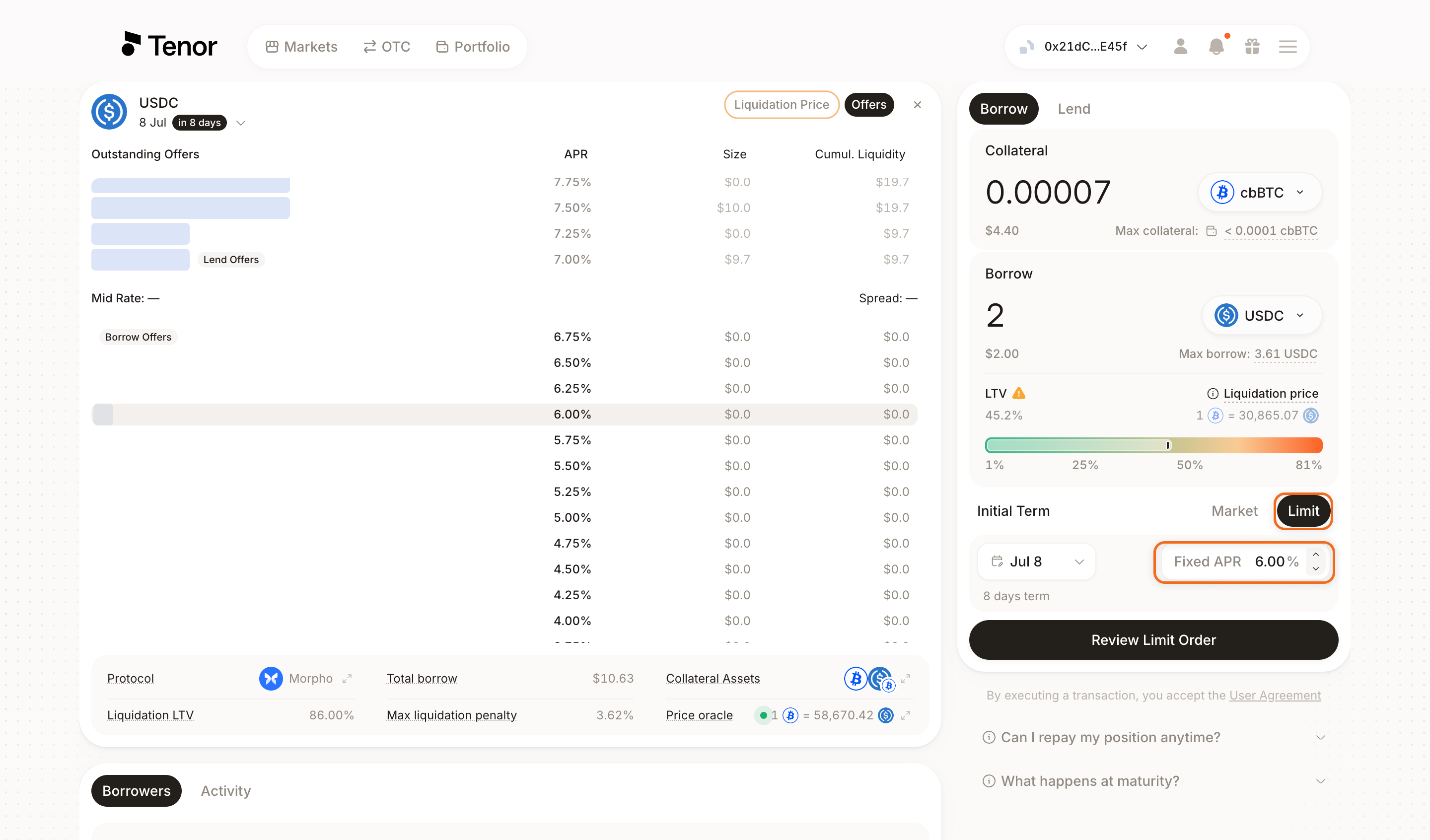
Make sure the Borrow tab is selected at the top left. Enter the amount of collateral you want to deposit, or the amount you want to borrow. Set your LTV, select a term, then select the Limit tab. Choose your target rate by clicking an APR tick or entering it in the Fixed APR field.
Click Review Order, then select your renewal policy. If you choose fixed-rate auto-renewal, you can set a maximum renewal rate for the fixed-rate renewal. Click Continue to review your order.
Review your order details, then confirm and sign the transaction in your wallet.
Your collateral stays in your wallet and is only deposited when your limit offer is filled. Once you place your limit offer, you can monitor and manage it on the Portfolio page.
Cancel a Limit Offer
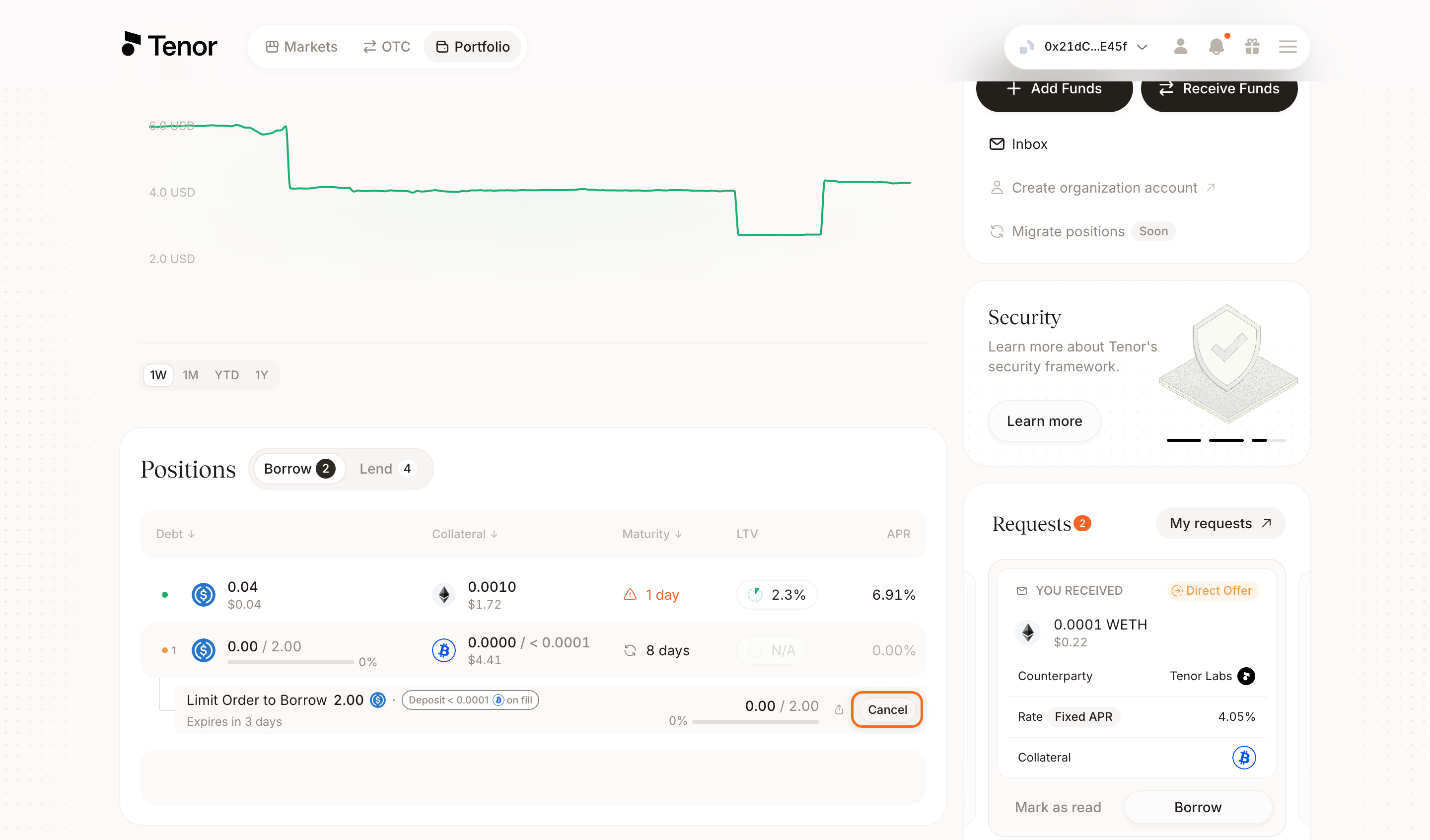
You can cancel a pending limit offer at any time before it is filled, directly from the Portfolio page.
Go to the Portfolio page, where your positions are listed.
If your pending offer is collapsed, click View pending offer to expand it, then click Cancel to cancel your limit offer.
Borrow through an OTC Offer
See the OTC offers guide for details.